Panic Blog
The Future of Code Editor
By Michael
If you’re pressed for time, here’s the short version:
- We’ll stop selling our Code Editor app for iOS soon
- The app should continue to function for a long time, but won’t receive further updates
- If you bought Code Editor in the last 60 days, contact us if you need help with a refund
- We’re working on a new version of Prompt, though!
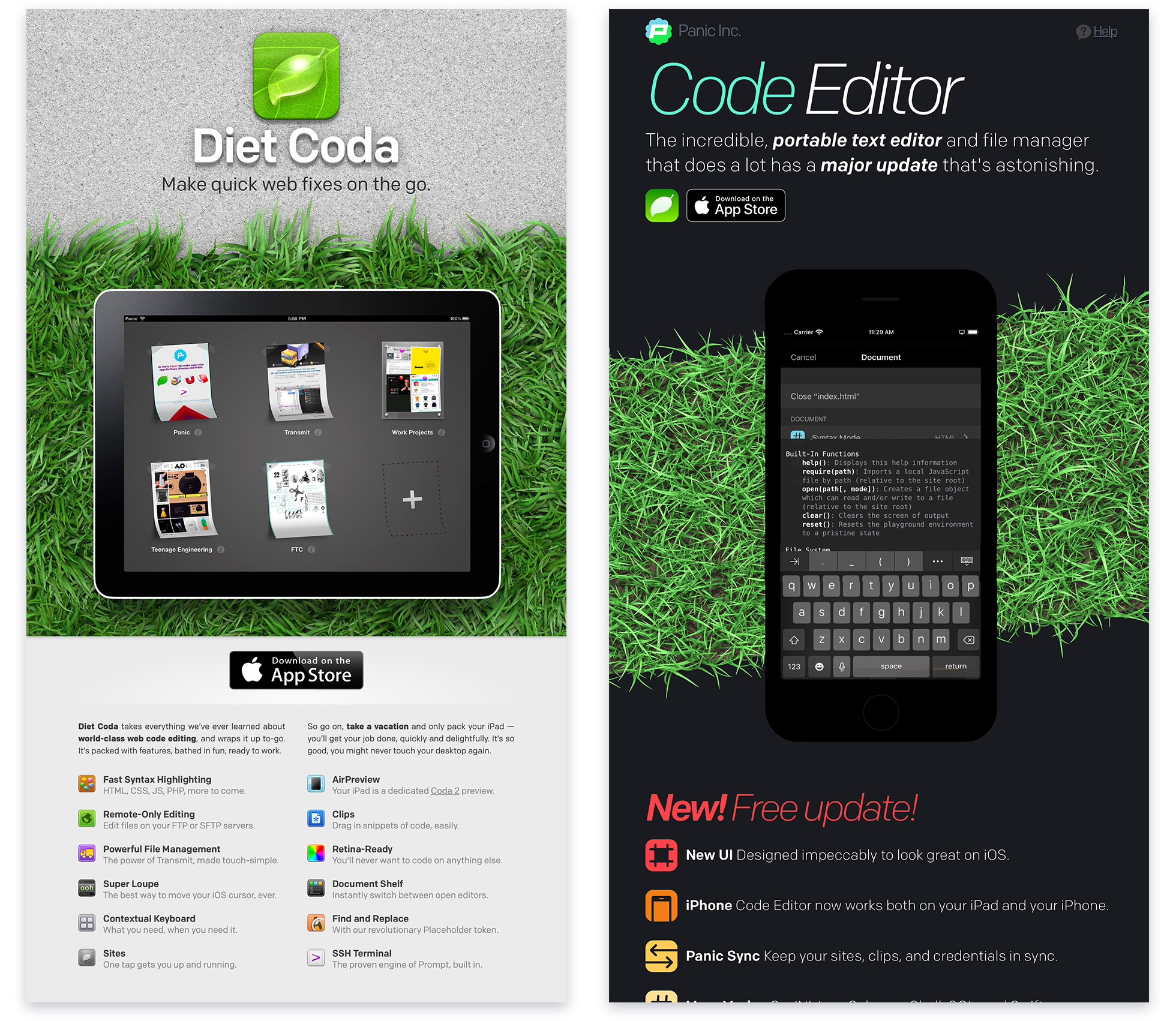
Code Editor — originally called “Diet Coda” then later “Coda for iOS” — was our powerful and full-featured iOS editor for developers. Introduced in 2012, it was packed with innovation, like our “Super Loupe” designed to make iOS cursor placement more precise — even fun, and an “iPad Preview” that let you use your iPad as a dedicated website preview screen long before Sidecar. The goal was to make a great code editor for iOS that anyone could use on-the-go.
Unfortunately, like Transmit iOS and Status Board before it, we’re discontinuing Code Editor as it doesn’t generate enough revenue to cover its continued development.
But that’s not the only reason. Read on.
Why?
First, we must apologize to those of you disappointed by this news. But here’s the backstory:
The process of web development changed dramatically in the years after our release of Coda in 2007, and our products needed to change with it. This ultimately led to our release of Nova for Mac, which supports more modern workflows and replaced Coda 2. (Not to be confused with the other document editor named Coda, not developed by us.) Those same changes to web development workflows also affected Code Editor.
A significant number of web developers now use tools like TypeScript and JSX, which often require a build or compilation process before they can be previewed. The only way to make this work in Code Editor was to separately run the compilers on a remote computer in a different app; a cumbersome proposition for a mobile device like an iPhone or iPad.
So, as the time went on, fewer and fewer web developers found Code Editor useful, and sales declined.
What about making a version of Nova for iOS?
As of right now, we don’t have any plans to bring Nova to iOS because, well, it’s hard to imagine how it would work.
Launching Nova reaffirmed to us how technologically diverse web development has become. During its development, we got requests to support libraries and technologies we thought long dead, as well as requests for brand new frameworks we’d never heard of. The churn of new web tools and tech is rapid and constant. This is why having a flexible extension system is essential for a modern web-focused IDE. But that’s where the trouble lies.
The biggest technical hurdle is the inability to run external processes on iOS and iPadOS. There’s just no way around it: this is required for modern web development. For example, the TypeScript extension is one of the most popular Nova extensions right now, and it launches and runs the TypeScript compiler. While we could attempt to build the TypeScript compiler into Nova, we can’t possibly anticipate and include every such tool that might be needed by a developer. We’d need to bundle compilers, interpreters, and language servers for just about every programming language in existence, not to mention tools like linters, JavaScript transpilers, and bundlers. The scope would quickly become unmanageable, and we’d always be lagging behind the latest versions of these tools.
Even if it were viable, we’d likely run afoul of App Store policy as well. Apps on iOS and iPadOS must use Apple’s Javascript interpreter, JavaScriptCore. Although JavaScriptCore is excellent, many developer tools rely on features or behaviors only present in Google’s V8 JavaScript interpreter. Similarly, WebKit is the only allowed web rendering engine on iOS.
And still, even if we could find some clever technical way around all of these limitations, we wouldn’t know if our approaches would be allowed on the App Store until we’d fully built and submitted them for review. So, we’d be facing a huge investment of time with the possibility that it would all ultimately get rejected.
Faced with this situation, we considered a more modest design: what if we combined Apple’s new File Provider technology with a streamlined text editor? Then we could at least create a version of Code Editor with robust local file support. In the end, we concluded that this hypothetical app didn’t fully address the needs of modern web developers, plus we’d be facing stiff competition from other high-quality apps that are laser focused on this space. We just weren’t confident that the additional work required could sustain itself.
That’s a long way of saying: we gave it our best shot.
But, you know us — we love to make things, and we never say never. None of this means we’re permanently, irrevocably turning away from professional iOS tools. We’ll keep a close eye on the market and see where it goes. If the stars align and the platform shifts, who knows? There may be a way forward for a better product in the future.
What next?
Soon, we’ll remove Code Editor from sale.
The good news for Code Editor users is that it should continue to work fine on your devices for the foreseeable future. (For comparison, even Transmit iOS, discontinued in 2018, continues to work fine today for those who purchased it.) We can’t promise these discontinued apps will work indefinitely, but barring any dramatic iOS changes, they should keep going for a good long while.
Any customers who purchased Code Editor in the last 60 days or so and want a refund, please contact Apple. Apple doesn’t provide us with the ability to issue refunds for App Store purchases directly, but if they deny your request, please contact us.
And what was that bit about a new Prompt?
Well, here’s some good news, at least!
We’re still actively working on Prompt, our iOS terminal/SSH app. Having the ability to tackle quick or urgent administrative tasks from your pocket is a great fit for an iOS app. So, we’ll be rolling out Prompt 3 in the future, and we’ll keep you posted on our progress. We don’t want to tip our hand just yet, but we’re hopeful we’ve come up with some great features to keep Prompt rolling well into the future.
And of course, our Mac apps continue to be as healthy as ever.
Thank you!
It’s always extremely hard to say goodbye to one of our apps. We spent months agonizing over this decision, exploring every approach we could think of that might keep the app viable. This is always our absolute last resort. We know we have customers who love and rely on our apps, and every time we discontinue one, we’re letting them down. Thank you for being a Panic customer and fan. We appreciate your support, always. We’ll keep working hard to develop apps and products you love.
PS: Nova for Mac is doing great! We hope you’ve had a chance to check it out. It’s kind of beautiful that a big part of Code Editor’s core — the parsing engine, grammars, indexing engine, document architecture and more — became the foundation of Nova. Code Editor lives on inside Nova!
 Adam
Adam
5/10/2021 5:45 PM?
 Jot Kailay
5/10/2021 9:58 PMHoped for a different outcome but understood. One thing I do wonder is how many iPad users have a Mac running Nova. The lite editor on an iPad couldn’t “call home” to the users mac to run what needed? Keep it light, an addition to Nova for a additional yearly expense? I for one really wish I could have an iMac and my portable light machine was an iPad
 Gerry Normandin
5/11/2021 3:24 AMNooooooooooooooooooooooooooooooooooooooooooooooooo!
I understand why you are shutting down Code Editor/Diet Coda, but this really sucks. I was hoping that with Apple making changes and APIs coalescing between iOS and Mac that this would improve things, not result in yet another awesome app dropping off.
Hopefully Panic is considering Nova ssh bookmark sync between Prompt 3 and Nova. Mosh support on both would be a great added bonus.
 Alex
Alex
5/11/2021 5:06 AMI’m not sure I buy this argument and it seems yet another excuse for Mac developers to ignore the potential market that exists in iOS users (which ironically has quite a few designers due to the pencil and touch tablet).
Why? The latest iPad Pro which has just been released is more than capable of handling a decent IDE if built correctly:
Hardware wise it supports a decent keyboard, has a better screen than the M1 Macs, has 16gb ram (1TB+ Pro models), and is on equal terms (or better) on all other specs.
Software (and OS) wise it does have the limit of multi-tasking, background activity (and threading / external tasks), and being limited to the Safari rendering engine however this can be worked around to some extent.
As an example, browser testing can be emulated using a service like BrowserStack which works on iOS perfectly well. Need developer tools? You could create them for us (or use a third parties like Inspect Browser, Eruda or View Source Premier) As for the ability to use TypeScript, Node, Python and such, that hasn’t stopped the likes of Code App (https://thebaselab.com/code/) who have built an IDE that allow modules, pip, npm and local servers. So yes, iOS has certain limitations, but saying “times have changed, we’re not going too – because too hard?” is the exact same reason Visual Studio Code swallowed a proportion of your customer base while you were leaving Coda to rot.
 Pele Marse
5/11/2021 6:17 AMPanic is one of the few companies I really love for the apps they develop, but I’m very angry that they won’t be building Transimt iOS and Code Editor apps anymore. That was all I needed for the iPad/iPhone. Elegance and are simply a pleasure.These applications are best for nerds, geeks, hackers with who has aesthetic sense and want for manipulating plain text source code, editing configuration files or documentation, or viewing error logs if you do something on the fly, you do it quickly.
But, in recent years, I’ve noticed that many of those few companies have started to stop updating their products, and the App Store is getting more and more apps that look like Android apps. And I wonder why I need apple products then? If I could just buy a tablet or phone with linux and be unlimited in the choice of software with poor design.
The last few years have been Apple sucks, and many companies are developing applications as well.
“It’s not personal – it’s strictly business” – The Godfather.
 Cabel
Cabel
5/11/2021 8:29 AM@Alex Without question, as mentioned, iPads are incredible devices — hardware has never been the issue. And you’re right, apps like Code do a phenomenal job with bundling Node right into the app — but there’s no end to what a Nova would have to bundle into the app to meet our developer’s needs. Ultimately though, the most important part of this difficult decision was the business end. Panic remains bootstrapped, which means revenue = survival. And while tons of artists and designers use the iPad, we’re not convinced many developers do. Yet! We’re sure someone will crack this equation — heck, that someone might be us in the future if the tables turn — but for now, we want to put our focus where our customers are: Nova for Mac.
 room34
5/11/2021 12:39 PMIt’s a bummer that these apps are being put out to pasture, but it is absolutely understandable. Apple’s absurdly strict limitations (which kind of make sense on an iPhone, but do not at all if they’re trying to make the iPad the future of computing) are one thing but let’s be honest: the biggest problem is the crappy App Store itself and specifically the ludicrously low price people expect to pay for mobile apps. I know there are some pro-level iPad OS apps that sell well at $10 or $20, but their Mac/Windows counterparts often sell for $100 or more. And yet I see people on the App Store reviews complaining about how “expensive” an app is when it’s probably less than they paid for their coffee this morning.
The iPad is an incredible device but it’s only as useful as its software ecosystem, and Apple has created a world where the developers it NEEDS on board to make the iPad useful for professionals — developers like Panic — can’t make a viable business out of it.
 BillyOK
5/11/2021 8:17 PMI hate seeing it confirmed, but I figured this was coming eventually. You’ve told this story before, and it’s a true story, and yet all these years after you first told the story — Transmit, Status Board, take your pick — i[Pad]OS hasn’t put any walk to its talk about being a system for people who want to efficiently get work done and will pay a premium to do so. If anything, both in terms of system software function and App Store economics, it feels further away now than it was when this story first was told.
I’m sorry that progress never came, even if all the marketing sizzle and keynote gushing about iPadOS might trick those who don’t know better into thinking it has. Long live the Mac. Disappointed to eventually bid farewell to CE, but I’m still a Panic customer for life. See you next app.
 Dave Robeson
5/12/2021 7:45 PM“For comparison, even Transmit iOS, discontinued in 2018, continues to work fine today for those who purchased it.”
That may have been true a month ago, but 14.5 broke it, along with a lot of other apps.
 Michael
5/12/2021 8:27 PM@Dave Robeson, it appears that Apple may have been able to re-sign Transmit iOS to work on iOS 14.5. I’ve heard that it works if you delete it from your device and download it again from the App Store.
 Bart
Bart
5/14/2021 2:47 AMAny chance of a special bundle for those of us who bought Code Editor to get Prompt 2? When I was looking for a replacement for Prompt I chose to spend the bit extra for Code Editor over Prompt 2 although I mostly use the built-in Terminal. :)
 Alex
Alex
5/14/2021 8:11 AM@Cabel I understand the problem with being a bootstrapped business, I run one myself. I just can’t help but think this is a chicken-egg scenario that while developers refuse to produce the tooling for the iPad, developers won’t use the devices in their workflow (and therefore won’t buy your products). And as it stands, no-one is really committing to build anything “feature complete” for our industry that would draw users to the platform – of how many tens of millions of individuals who could be paying customers – it just makes no sense.
It’s a tricky issue to solve, but the few iPad tools that exist show that tooling is possible, it just needs a committed development team to build something special and you’d have the people who want to use their iPads, plus the designers who use their iPads in their workflow who need to handover to a Mac to code as a ready made audience (plus devs wanting to bridge the design gap). The industry has been calling for tooling to bridge the design developer gap for years so there is a large market for such a product. But everyone would prefer to build desktop tools that design mobile web experiences rather than something native.
 Andrew
5/16/2021 7:12 AMAny plans to open up Panic Sync for other iOS editors or implement other syncing methods in Nova? A hassle-free way to do a quick edit on the go was a big selling point.
 Bruce
Bruce
5/18/2021 4:49 AMI’ve gotten so much use out of Code Editor — thanks for making it!
 Todd
Todd
5/19/2021 4:55 PMIt is very sad to hear of the discontinuation of a Panic app – again. As mostly a backend developer, I was using Coda 2 on the Mac and Code Editor on iPadOS. I cannot believe I am saying this but on the Mac, VS Code has been meeting my needs in remote editing in the cloud and into containers.
However, being a big iPadOS proponent I had high hopes for Panic to continue to innovate iOS Code Editor. I understand some of the issues in delivering this sort of tool on iPadOS, but there has been a lot of pressure on Apple to “loosen up” on some of the restrictions in order to deliver on the promises of the iPad. I think this decision by Panic is pre-mature.
 Gwyneth Llewelyn
5/21/2021 6:05 PMLike @Bart above, I remember having bought the bundle — long ago… — just, well, because Prompt was a must (for emergency remote maintenance), Transmit was useful, and if I could get something for a few extra $ (Code Editor!… at the time it was still ‘Diet Coda’, which I thought to be a fantastic name), sure, why not?
Unfortunately, I guess I’d side with Panic on this decision. The truth is that, at the time, I expected that Diet Coda/Code Editor would be a reasonable working platform when I’d be outdoors and not willing to carry anything heavier and bulkier than my old iPad Mini; in practice, well, I didn’t really use it much — I thought it would work quite differently than it does. As far as I remember, I only got it to do ‘real work’ once — just change one or two lines of code — and that was it. I fully understand that Panic is not to blame; it’s just that Apple places way too many restrictions on the iOS/iPadOS ecosystem. Good for games, sure, and one or two ‘useful’ applications, but not for ‘real work’.
Anyway, if that means that the dev team at Panic will have some more free time to focus on whatever the next app will be, I think it’ll be worth the trouble. Who knows, maybe we’ll get a new Usenet news reader that actually works well under macOS Big Sur or the latest incarnations of iOS/iPadOS ;-) ;-) ;-)
 Chris
Chris
5/21/2021 7:23 PMSo this is the third iOS app you’ve discontinued. Why would I buy anymore of your products when you’ve discontinued all of the ones I relied on? I understand that they aren’t high income, but this is #3… it just seems like we can’t trust future products will continue to exist.
 Matt
Matt
5/22/2021 7:18 AMI guess the writing’s been on the wall for some time – the last time much in the way of improvements or additions were added was what ~3 years ago?!
I think I’m really just a bit upset that I only found out you were planning on sun-setting the app via a reply to someone’s Tweet, otherwise I’d have likely missed that you’d blogged about it completely.
Had code editor moved with the times, would have it succeeded? Not sure – you guys have the numbers on that. I still dearly want a code editor for iOS/iPadOS, so maybe it’s time to flip over to Textastic which would also play a lot nicer with WorkingCopy.
I guess the question is; would you consider reviving the app if Apple introduce changes – or are you just not convinced enough people want a code editor on iOS?
 Jim
Jim
5/26/2021 11:30 AMIt all makes sense what Panic’s saying here. Truthfully I think we all knew it was just a matter of time. At least Panic’s Mac apps are best-in-class.
The whole thing’s just got me thinking, though: there really is no *good* way to code on an iPad (I mean like professional, for-a-living, customer-facing development). I’ve tried everything and read all the blogs. There’s always a “gotcha”, and the problem is always an iOS limitation. Apple is definitely making a *choice* not to allow development on iOS, and I think it’s for two reasons simultaneously: they’d have to weaken the very tight and effective regulations they put on an OS which is, really, targeted at normal, end-user consumers, and they don’t want to cannibalize Mac sales. If you could effectively code on an iPad, every dev I know would get the new M1 12.9″ iPad and the Magic keyboard. Every single one (except the one incel Apple hater of course haha).
Which is too bad, you know? I can definitely *afford* the new M1 iPad, but what could I ever use it for that my two-generations-back 12.9″ iPad can’t do? The old one liquid-fast for EVERY app I can think of. At this point, iPadOS is holding the iPad back.
 tiff
tiff
5/28/2021 7:57 PMI am not sure that all of this is true, at least in some contexts.
I am currently using a JavaScript IDE that can run a full Node.js server, YES, a NODE SERVER, on my iPad. It also allows Typescript support, and React support amongst other things.
It also has a browser for live viewing your current project. Granted, it was just purchased by a tech company with the deep pockets of VCs backing it, but it is *still* possible.
Anyway, I bought Coda 2 some time ago and Code Editor. I’ve recently purchased Nova and like it well enough, not enough to pull me away from VS Code as my full time IDE.
It’s a shame that you can’t build a code editor for iOS but understandable.
 Jim
Jim
5/29/2021 1:05 PM@tiff: If you’re talking about play.js, yup that app was verrrry promising when I first tried it out. It kept crashing on me though, and the dev was very responsive at first on his site, then stopped responding. So I just basically abandoned it. Maybe I’ll give’r another shot.
 Franck
6/1/2021 10:59 AMThis app was a lifesaver. So sad to let it go.
 Jay Williams
6/1/2021 11:12 AMWhy would developers need to do their work on an iPad when you can get an M1 MacBook Air. Great performance, super lightweight, and none of the weird iOS limits? For me personally, a powerful ssh terminal will allow me to do most of my work from anywhere. (Prompt!)
 tiff
tiff
6/3/2021 9:01 AM@Jim yup. It was bought by Codesandbox which is a web version of just this and is proud my favorite prototype app for web projects. You can now clone sandboxes directly into play.js which is amazing.
I started a React project and ran it in a localhost on iPad in the integrated browser and it was great, no crashing. Give it another try.
 Florian
6/5/2021 12:40 PMIt is so sad to read another one of these stories showing that the mobile ecosystem cannot support great companies / product like yours.
 jb-net
6/7/2021 12:05 AMI’m still using Transmit for iOS on a regular basis. I would love to see Panic resuming the development. I couldn’t do my work without this app. Also using Prompt for iOS. I’m glad that it is still getting updates.
 Aesin
Aesin
6/12/2021 2:22 PMIt’d be worth warning people that they’ll lose access to the app if they let iOS do the “App Offloading” thing to it. I lost Status Board that way. :(
Also, a feature equivalent to ssh’s ProxyJump option would be a very welcome addition, if possible!
 Aesin
Aesin
6/12/2021 2:25 PM(Er, as a feature for a future version of Prompt, I mean.)
 Robert Newman
6/16/2021 9:19 PMThe iPad is just getting started. It only just got trackpad support a little over a year ago and this has unlocked the option to use it without touching the display. This completely transforms what the iPad can be. With better keyboard navigation coming soon the iPad really is quickly turning in to a versatile device that’s just as perfect a device for tasks that are best with keyboard input as the Mac. It’s a shame Panic chose to abandon Code Editor at just the moment that the iPad is changing conceptually as a result of the Magic Keyboard.
 André
André
6/17/2021 11:39 AMAlthough I understand the economical issues related to iOS Development, you’re wrong with your estimation! Sure, web development has become a more and more framework thing and much more integrated solution thing. But if you look at trending development considerations, the zenith of framework based development exceeded.
Five years ago, Java, REST, Spring, whatever was THE trending direction. Because it made it possible to develop crap quicker and more slim as ever. Did you ever develop in Java? 98% library digging and linking, 2% coding. Javascript was a big part of the web frontends and got more popular with node and collegues. Same thing. 98% library digging, hours and hours of installing, linking, packing, encoding and 2% coding itself. This MUST develop the market for IDEs. You had no other choice.
This is NOT development. This is managing libraries.
Every serious developer I personally know turns his back to this kind of coding. Because it sucks. You have no freedom of choice and a huge overhead. Did you ever try to make a major version jump in Spring? Forget it. You’ll start from scratch. Did you realize that vanilla is replacing jQuery because you don’t NEED jQuery?
Coding will be (trust me) getting more and more basic as it was in good old days.
Did you follow the last WWDC Keynote? Coding for iPadOS ON iPadOS. Sure, this is the apple universe. And Apple pushes swift and playgrounds. But this trend (you COULD have known this 1-2 years ago if you’d know Apple) will open development on iOS. This trend will. Apple opens iOS more and more. Not for external libraries but for using this little piece of new (did you realize.. M1 on iPad?) “hardware era” – inbetween desktop and mobile – as a versatile desktop replacement.
Don’t make this Microsoft mistake to look at the market TODAY and yesterday. Look further. I have a VERY high opinion of panic and your tools. But if you miss this chance you’ll be gone someday. That’s calculating yourself out of the market.
I’ll wish you all the best. But let’s talk in three years. If you’ll still be there. Fingers crossed.
 Michael Peterson
6/24/2021 6:52 PMWill Prompt 3 be a paid upgrade? I would assume yes, which is fine. I want to buy it but I don’t want to get the old version, but I also don’t want to wait too long. Any info on when 3 will come?
 I.A.
I.A.
7/9/2021 4:55 AMHow is it possible to get the full old version? I still occasionally use two vintage macs with Mavericks and Lion.